

JotForm customization options are the main reason many businesses pick JotForm over better known form builders. Most tools give you a template, a logo slot, and a choice of two or three colours. JotForm gives you control over almost every part of the form: how it looks, what it asks, how it calculates, what it charges, and what document it produces at the end. This guide covers them concretely, compares them fairly with the leading rivals, and is honest about who should not choose JotForm.
What JotForm customization options cover
Customization in JotForm is not one setting. It is a stack of controls that work together: design, fields and widgets, logic, calculations, payments, PDFs, language, accessibility, and developer tools. You can start with a theme and change only the basics, or rebuild a form until it matches your brand and your process exactly. A simple contact form and a complex application form can live in the same account.
Full design control over every form
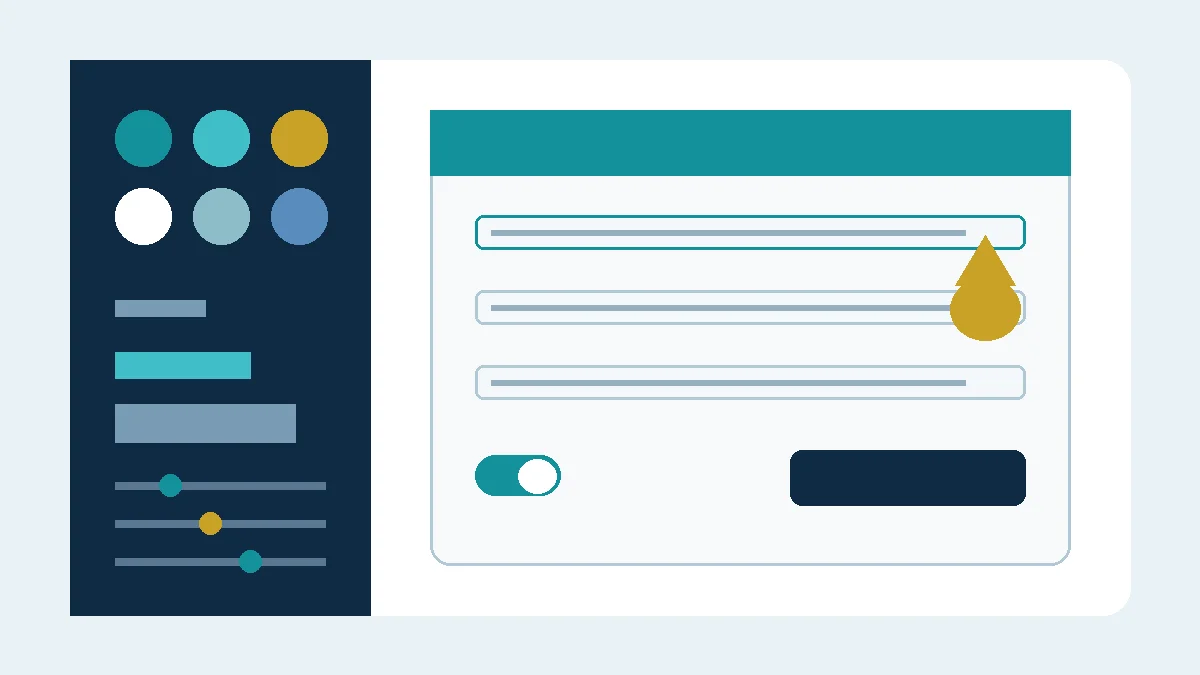
Design is where the gap shows first. In JotForm you can change fonts, sizes, colours, background images, spacing, button styles, and field layout, form by form. If the visual editor is not enough, you can add custom CSS to target specific fields, pages, or messages. That CSS control is rare in mainstream builders, and it is what lets a form match a website precisely instead of looking like an outside tool pasted into a page.
Paid plans add the brand controls businesses ask for: remove JotForm branding, use a custom domain for form links so the address looks like your own company, and present forms in a white label style. For client facing businesses, a client should feel they are dealing with you, not your supplier.
A deep library of fields and widgets
A form builder is only as flexible as the fields it offers. Alongside the standard fields, JotForm has a widgets library with hundreds of add on elements, including appointment slots, product lists, signature fields, file uploads, rating controls, and media elements.
Widgets change what a form can do without custom code. Instead of asking a customer to type a booking time as free text, you add an appointment widget. Each widget is configurable, so the field behaves the way your process needs.

Conditional logic and calculations with real depth
Conditional logic in JotForm goes well beyond showing or hiding one field. You can show, hide, require, skip pages, change values, and route the submitter based on any combination of answers. A long intake form can feel short, because each person only sees the questions that apply to them.
Calculations are equally deep. Fields can feed a calculation widget or a payment total, applying formulas and conditions as the form is filled in. Quote forms, order forms, and fee calculators update live, so the customer sees an accurate total before they submit, with no spreadsheet work afterwards.
Multi page forms, offline forms, payments and PDFs
Long forms work better broken into pages, with a progress indicator and the option to save and continue later. JotForm supports multi page forms and page level logic, so a section appears only when it is relevant. For field work, the JotForm mobile app supports offline forms, so teams can collect entries without a connection and sync them later.
Payment customization is another strength. You can sell products or subscriptions, set quantities and options that change the price, offer coupons, and connect providers such as Stripe, PayPal, and Square, with the total calculated by the form itself.
Submissions can also produce a document. With the JotForm PDF Editor you design the PDF layout, choose which answers appear, add your branding, and attach the finished PDF to notification emails. Contracts, intake summaries, and certificates are common uses.
Translation, accessibility, and developer control
A form often has to serve more than one audience. JotForm forms can be translated into multiple languages, with the submitter choosing their language, and with editable labels and warnings. For accessibility, clear labels, logical order, and accessible field types help forms work with keyboards and screen readers.
For custom workflows, JotForm offers an API and webhooks. A webhook can send submission data to your own system on submission, and the API lets developers pull submissions and manage forms inside a wider tool. This is where a form becomes part of your infrastructure. These are the kinds of builds I scope with clients in my services.
How JotForm compares on customization
| Customization point | JotForm | Typeform | Google Forms | SurveyMonkey | Microsoft Forms |
|---|---|---|---|---|---|
| Custom CSS | Yes full form CSS | Limited plan dependent | No | Limited | No |
| Fonts and full colour control | Yes | Partial | Very limited | Partial | Very limited |
| Remove branding, custom domain | Yes paid plans | Yes paid plans | No | Yes paid plans | No |
| Widgets and advanced fields | Hundreds | Fewer | Basic fields only | Moderate | Basic fields only |
| Calculations and payments in form | Yes | Payments, limited calculations | No payments | Limited | No payments |
| Custom PDF from submission | Yes PDF Editor | No native editor | No | No | No |
| API and webhooks | Yes | Yes | Limited via add ons | Yes | Limited |
To be fair, simpler is sometimes better. Typeform offers a more polished one question at a time experience out of the box, and many people find its default design prettier with less effort. Google Forms is free and perfect for a quick internal survey. SurveyMonkey is stronger for dedicated research and analysis. Microsoft Forms suits teams inside Microsoft 365 who need something basic and familiar. None of them, though, match JotForm across the full range in the table.
Try JotForm and explore the customization options yourself, then book a free discovery call if you want a form built and branded properly from the start.
Who should pick JotForm, and who should not
Pick JotForm if your form has to match your brand exactly, calculate a price, take a payment, produce a PDF, work offline, or connect to the rest of your workflow. It also suits growing businesses, because a form built today can gain logic, payments, and documents later without moving platforms.
Do not pick JotForm if you only need a quick five question survey and will never touch design or logic. Google Forms or Microsoft Forms will be faster and free. Do not pick it if the most important thing is a beautiful conversational survey and nothing else, because Typeform does that one job with less setup. JotForm rewards people who use its depth.
Customization checklist
- Pick a theme close to your brand, then adjust fonts, colours, and spacing.
- Add your logo, and on a paid plan remove branding and set a custom domain.
- Use custom CSS only where the visual editor cannot reach.
- Replace free text fields with widgets where a widget fits better.
- Add conditional logic so each person only sees relevant questions.
- Test every calculation with three different answer combinations.
- Connect your payment provider and run one small live test payment.
- Design your submission PDF in the PDF Editor and check the file.
- Add translations if needed, and test keyboard navigation.
- Send a full test submission and check the form, email, and PDF together.
FAQ
Is JotForm free to customize?
The core design controls, many widgets, and conditional logic are available on the free plan, so you can test the depth before paying. Removing branding, using a custom domain, and higher limits require a paid plan.
Can I use my own CSS in JotForm?
Yes. You can inject custom CSS to control fields, pages, buttons, and messages beyond the visual settings. Keep a copy of your CSS before big changes, so you can restore it if a change breaks the layout.
Is JotForm better than Typeform?
For customization, logic, payments, and PDFs, yes, JotForm offers more control. For a simple, beautiful conversational survey with almost no setup, Typeform can be the better fit. It depends on which matters more for your form.
Can JotForm forms work offline?
Yes, through the JotForm mobile app. Entries collected offline are stored on the device and sync when a connection is available, which suits field teams, events, and sites with poor coverage.
Sources
- JotForm, How to Inject Custom CSS Codes: https://www.jotform.com/help/117-how-to-inject-custom-css-codes/
- JotForm, Widgets Directory: https://www.jotform.com/widgets/
- JotForm, Form Themes: https://www.jotform.com/themes/
- Typeform, Plans and Pricing: https://www.typeform.com/pricing
- Google Forms, Help Center: https://support.google.com/forms/
Disclosure: This article contains affiliate links. If you buy through them, I may earn a commission at no extra cost to you.